
Protection in ASMO 360
Ads and tracking. Blocked.
Protection works in every app and browser while VPN is on. No extensions, no complicated setup — just seven switches in the app.
- Fewer ads in your browser and apps
- Trackers don’t collect data about you
- Scam and infected sites don’t open
- Child protection: adult sites, gambling, safe search
- A counter shows how much was blocked today
On every plan. Ads, tracking, fraud, dangerous sites and cryptomining are blocked by default; you turn on child protection and new sites yourself.
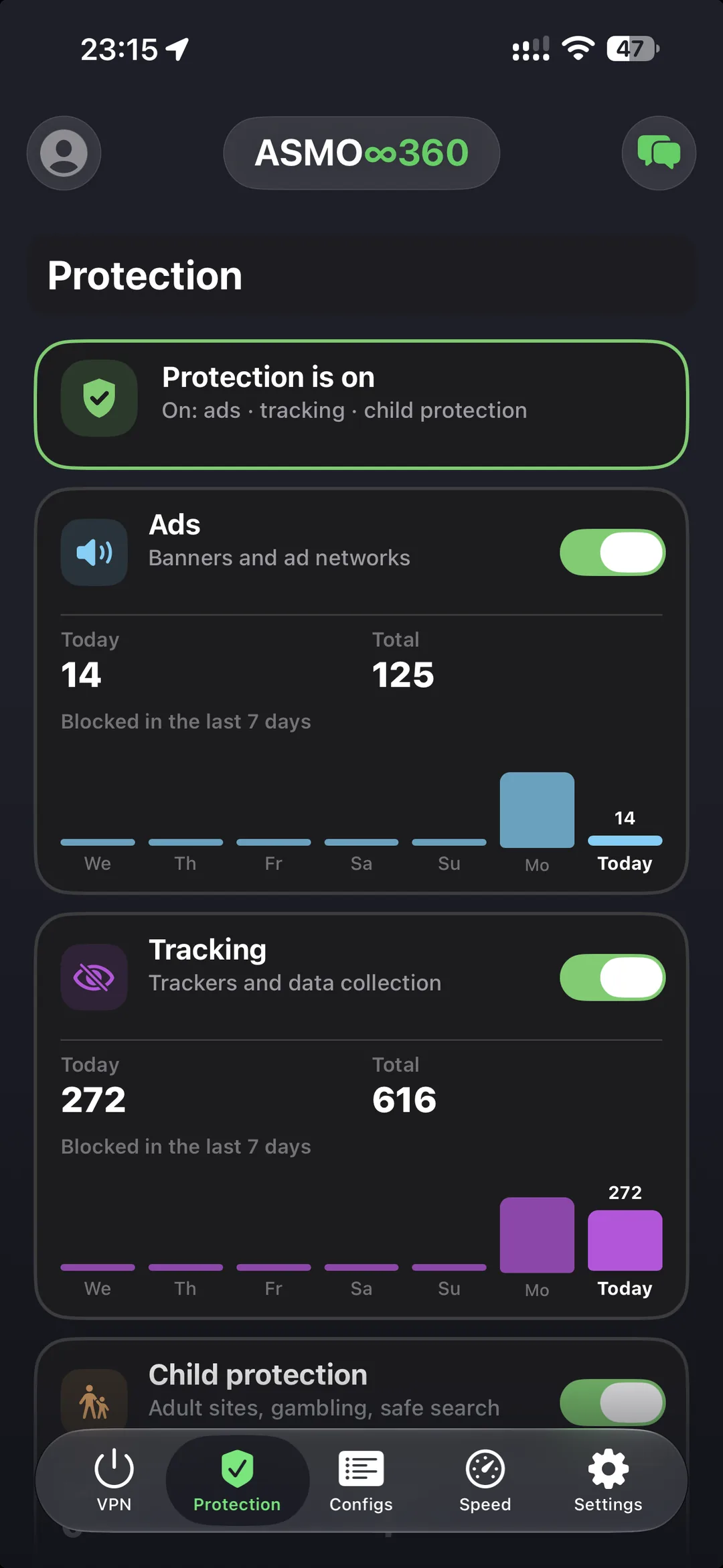
Protection is in ASMO VPN for
Seven switches. That’s all.
Each kind is switched and counted on its own. A new mode starts working after VPN reconnects.
Ads
Banners and ad networks in browsers and apps. Pages load faster and use less data.
Tracking
Trackers and data collectors. Analytics services don’t learn which sites and apps you open.
Child protection
Adult and gambling sites don’t open, search runs in safe mode. You turn it on; it’s off by default.
Fraud
Phishing, fake banks and shops. A trap page won’t open, even if a friend sent you the link.
Dangerous sites
Addresses that spread viruses and malware. An infected link simply won’t load.
Cryptomining
Scripts that secretly mine cryptocurrency on your device. Your battery and CPU stay yours.
New sites
Domains under 14 days old — a common scam sign. A strict mode: off by default, you turn it on.
Fewer ads everywhere, not just in the browser
The filter runs on our DNS server, so it works in any app while VPN is on.
- Banners and ad networks
- No extension for every browser
- Less data, faster loading
Trackers don’t know what you do
Requests to analytics services and data collectors never reach them — our server stops them.
- Trackers in apps and on websites
- Works together with VPN encryption
- See how many attempts were stopped
Peace of mind when your child has the phone
One switch closes adult and gambling sites and turns on safe search.
- Adult and gambling sites
- Safe search in Google, Bing and YouTube
- Works while VPN is on
See how much was stopped
“Today”, “Total” and a 7-day chart for each switch, across all your devices.
- One summary for all devices on your account
- Numbers only — site addresses are never sent
- The same counter in your account and in Telegram
You’re in control
A site broke, or you only want ads from some countries? Adjust it yourself without turning protection off.
Network countries
Block ads and tracking by the country of the company that owns the network — not by the site.
- Separately for ads and tracking
- A “Blocked by country” chart
- One choice for all your devices and your account
Blocked sites
What was blocked in the last 7 days, newest first. Tap Allow and the address goes to exceptions.
- The list stays on your device and is never sent
- Clear it with one tap
- Allow works for ads and tracking
Exceptions
Addresses you don’t want blocked: the address and its subdomains open on all your devices.
- Add them in the app or in your account
- One list for all devices
- Fraud and viruses ignore exceptions
On in a minute
Install ASMO VPN
App Store, Mac App Store or the APK for Android. No sign-up needed.
Connect
One button on the main screen. Ads and tracking are blocked right away.
Open Protection
Choose what to block and check the counter for the day and the week.
More than just a VPN
| No VPN | VPN without a filter | ASMO VPN with Protection | |
|---|---|---|---|
| Traffic encryption | |||
| Fewer ads in every app | |||
| Tracker blocking | |||
| Protection from scams and viruses | |||
| Child protection | |||
| Blocked counter | |||
| No browser extensions needed |
And everything else in ASMO VPN
AsmoLink protocol
Our own protocol: stable even on restricted networks.
Direct Access
Sites you choose open directly, without VPN.
Speed test
Download, upload, ping and test history.
No sign-up
Your account is created on first launch.
All your devices
iPhone, Mac and Android on one account, one counter.
FAQ
Do I need to set anything up?
No. Ads and tracking are blocked as soon as you connect. The switches are on the Protection tab.
Which plans include Protection?
Every ASMO VPN plan.
Does it work in apps, not just the browser?
Yes. The filter runs on our DNS server, so it works in every app while VPN is on. Ads served from the same address as the content itself can’t be filtered. A browser with “secure DNS” turned on may bypass protection.
Can you see which sites I open?
No. The counter is only numbers for each kind of protection. Site addresses are not sent to or stored on the server; the Blocked sites list lives only on your device.
A site stopped working — what do I do?
Open Protection → Blocked sites, find the address and tap Allow — it goes to exceptions on all your devices. Still broken? Write to support and we’ll sort it out.
What are network countries?
A choice of which countries’ ads and tracking to block. The country is where the company that owns the ad or tracking network is based, not the site. For example, you can keep ads from one country and block the rest.
Which devices have Protection?
iPhone, Mac and Android. The counter is shared across all devices on your account.
Turn on Protection today
Install ASMO VPN — ads and tracking are blocked from your first connection.