

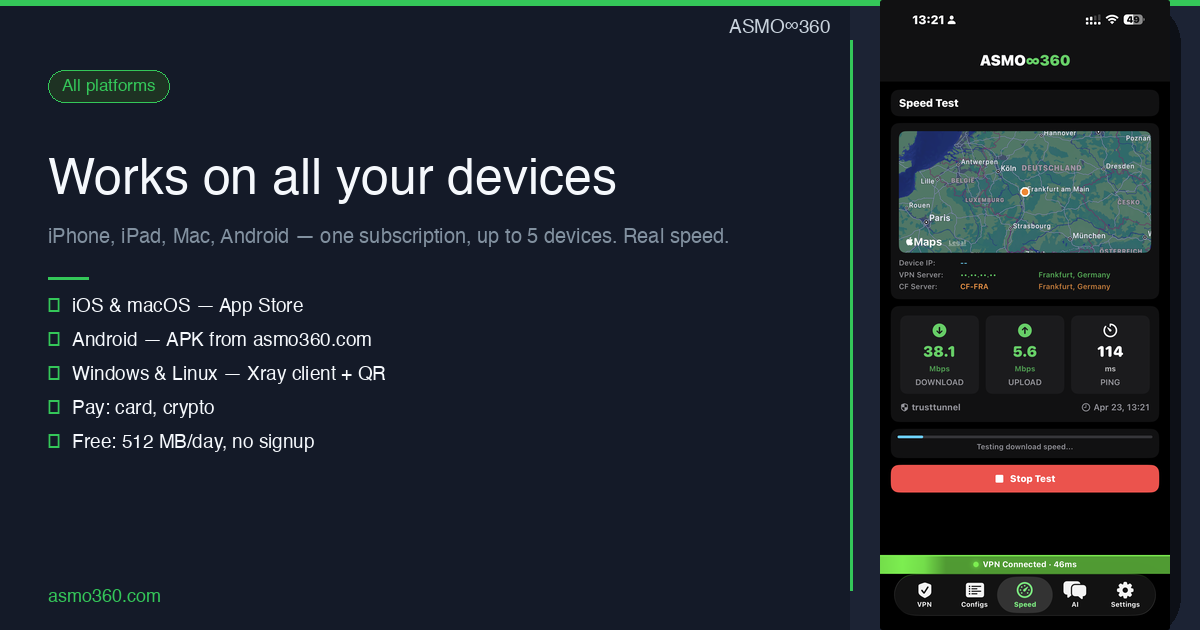
Modern people use multiple devices every day: smartphone, laptop, tablet, work computer. ASMO360 VPN works on all of them — one subscription, one account, up to 5 devices simultaneously.
iOS and macOS: App Store + DMG
For iPhone and iPad, ASMO360 VPN is available in the App Store. The app uses exclusively TrustTunnel — our proprietary HTTP/2 protocol that works in any conditions, including Russia, UAE and China. Kill Switch automatically disconnects internet if the VPN drops, so your real IP won't leak. Auto-reconnect restores the connection when you switch networks.
For Mac, two options are available: via the App Store or direct DMG download from asmo360.com. The DMG version is signed with Developer ID and doesn't require the Mac App Store. Supports macOS 14 (Sonoma) and higher.
Android: APK directly from the site
The Android version of ASMO360 VPN is distributed via our site asmo360.com/downloads as an APK file. Unlike iOS, Android supports three protocols: Xray Reality, Xray WebSocket, and TrustTunnel. The app automatically switches between protocols when connection quality drops.
Windows and Linux: via QR profile
There's no separate app for Windows and Linux, but there's an elegant solution: importing a QR profile into any compatible Xray client. For Windows, v2rayN is popular; for Linux — v2rayA. The QR profile is generated in the ASMO360 app on iPhone/Android or in the Telegram bot @asmovpn_bot.
Built-in speed test
ASMO360 VPN includes a built-in speed test with a history of all measurements. Real results: 34–89 Mbps download, 4–15 Mbps upload, 50–280ms ping to German servers — enough for 4K video, video calls and any work tasks.
Why this matters
You don't need to buy multiple subscriptions for different devices or switch between different VPN services. ASMO360 is one solution for all your devices, with a single account and simple management via the app or Telegram bot.
Download ASMO360 VPN
Telegram: @asmo360vpn — news | @asmo360chat — community | @asmovpn_bot — manage subscription